
SpinBet Forgot Password: How to Reset It in NZ
?
Quick answer
On the SpinBet login screen, tap Forgot Password?, type the email address on your account and press Reset Password. The reset runs through the email address on your account.
Resetting Your SpinBet Password Step by Step
- Tap Login on SpinBet’s NZ site to open the Log In screen.
- Tap the Forgot Password? link under the Log In button.
- Enter your email and press Reset Password, as shown below.
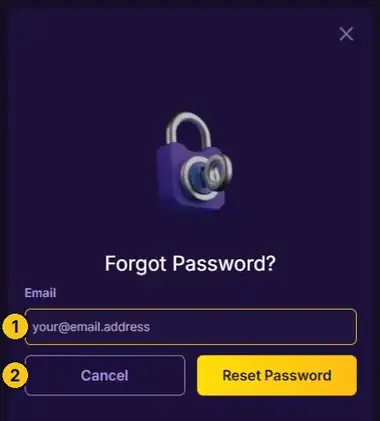
- EmailEnter the email address you used when you signed up.
- Reset PasswordSends the reset. Press Cancel to go back to the login screen instead.
After resetting, log in again with your username or email. The SpinBet login guide explains the login screen in full.
Before You Reset Your SpinBet Password
Use your sign-up emailThe reset goes to the email address on your account.
Registered with Google?You may not need a password at all. Try the Google button on the login screen.
Choose a strong passwordThe login screen needs at least 6 characters. Longer is safer.
Still locked out?Contact SpinBet’s 24/7 live chat or [email protected].
Back in? Claim up to $6,000 + 100 free spins if you are newNew players only. Min. deposit $20. 40x wagering. T&Cs apply.
Join SpinBet »